Make handwritten family recipes and old cookbooks searchable, with a photo-scan method, the most common error sources, and a workflow for large collections.
How do I digitize a cookbook?
The fastest way is to photograph it with an app that recognizes recipe text and breaks it down into ingredients, quantities, and steps. A book page becomes a searchable recipe that can be scaled to different serving sizes and added to a shopping list, no retyping required.
The key points:
- One photo per recipe is enough; what matters most is even lighting and a flat page.
- Handwriting works, but it’s more error-prone than print, especially with quantities and digits.
- Always double-check: quantities, temperatures, cook times. That’s exactly where text recognition fails.
- Tackle large collections in stages: start with the recipes you actually cook.
What do you need for this?
Just a smartphone and daylight. A tripod helps with large collections, but it isn’t required. le’Chef comes with the right scanner built in: recipe text scanning reads cookbook pages and handwritten cards and turns them into structured recipes.
How do you photograph it correctly?
- 1Use daylight, but avoid direct sun. A spot by the window without harsh shadows gives the best results. Ceiling lights create glare on glossy pages.
- 2Lay the page flat. Curved pages distort the lines of text. For thick books, weigh the page down with a glass or a second book.
- 3Shoot from directly above, not at an angle. Hold the camera parallel to the page; angled shots cost you recognition accuracy.
- 4One recipe per photo. If two recipes share a spread, photograph them separately; otherwise the ingredient lists blend together.
- 5Avoid your own shadow. Stand to the side rather than directly over the page.
Kitchen Tip
For high-gloss pages, try tilting the book slightly until the glare disappears, then realign the camera parallel again. Alternatively, light it from the side instead of from the front.
What works well, and what doesn’t?
| Source | Recognition | Note |
|---|---|---|
| Printed cookbook | very good | the standard case |
| Magazine clipping | good | crop multi-column layouts first |
| Recipe card, typed | very good | ideal |
| Handwriting, clearly legible | usable | double-check quantities and digits especially |
| Handwriting, faded | difficult | boost the contrast, or retype it |
| Photo of a screen | poor | moiré and glare; better to copy the text |
The classic failure point is digits: 1/2 easily becomes 12, and 180 °C turns into 130 °C. With ingredients, a mistake stands out right away; with temperatures, you only find out once it’s in the oven.
How do you tackle a large collection?
Not chronologically, but by how much you actually use them. This order keeps your motivation up and gets you results early:
- 1The ten recipes you actually cook. They usually cover most of your everyday cooking.
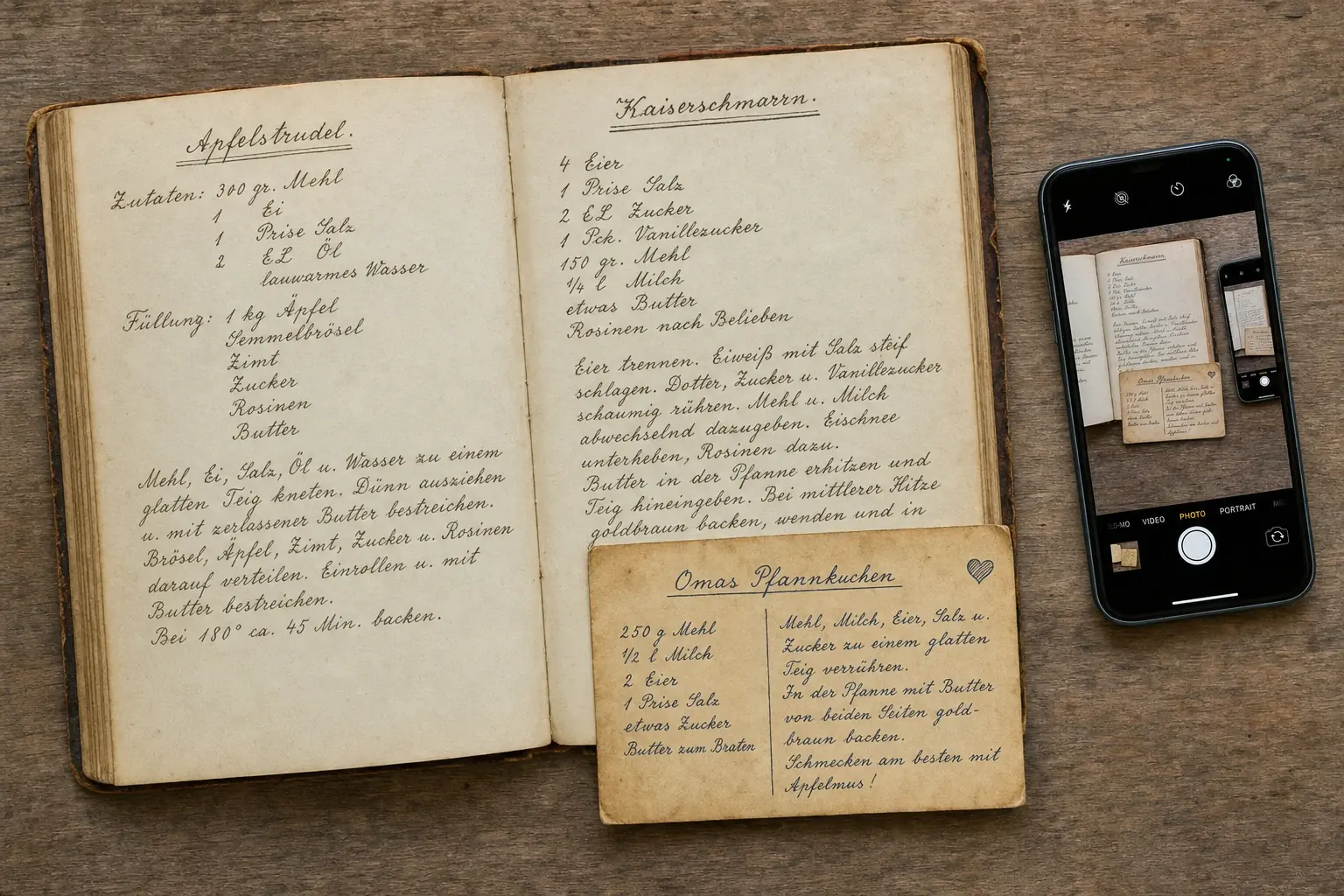
- 2Family recipes and handwritten cards. They’re irreplaceable: here, digitizing doubles as backup.
- 3Seasonal recipes in stages. Christmas baking in November, preserving recipes in summer.
- 4Everything else, as needed. A recipe nobody has cooked in ten years doesn’t need to be captured right away.
Good to Know
Handwritten family recipes are the strongest reason to digitize: paper fades, gets lost, or picks up grease stains. A digital copy is a backup at the same time, and it can be shared with the whole family.
What do you get out of it afterward?
A shelf full of cookbooks becomes a searchable collection:
- Search by ingredient instead of flipping pages: “what can I make with zucchini?”
- Scale servings without doing the math yourself
- Add it to your weekly meal plan and push ingredients straight to the shopping list
- Filter by nutrition profile, so recipes with allergens never even show up
- Cook hands-free: the digitized recipe can be read aloud step by step in cooking mode
Photographing, retyping, or a scanner app?
| Method | Time per recipe | Result | When it makes sense |
|---|---|---|---|
| Photo in a cooking app | 1–2 minutes | a structured, searchable recipe | the standard case |
| Plain scanner app (PDF) | 1 minute | an image or PDF, not structured | pure archiving |
| Retyping | 8–15 minutes | full control | faded handwriting |
The difference between the first two methods matters: a PDF is just a picture. You can’t search it by ingredient, scale it to different servings, or add it to a shopping list. If all you want is an archive, a scan is fine; if you want to actually cook from it, you need a structured recipe.
How do you organize your digitized recipes?
A collection without organization is just a digital stack of paper. Three types of tags are enough for most households; more categories just means none of them get maintained:
- Occasion: everyday, guests, holiday, quick
- Main ingredient: so a search like “what do I make with zucchini?” actually works
- Origin: grandma, cookbook X, magazine. Important for family recipes, whose value lies in their history
For family recipes, add a note about where they came from: who it’s from, roughly which era, what it was traditionally cooked for. That detail disappears along with the paper if nobody writes it down, and it’s the real reason digitizing is worth it.
Frequently asked questions
Can an app read handwritten recipes?
Yes, it works reliably with clearly legible handwriting. Cursive script, faded ink, and stains noticeably lower the accuracy. After scanning, double-check quantities and numbers especially; that’s where most errors happen.
How many recipes can I save?
That depends on the provider and plan. With le’Chef, you can save up to 50 of your own recipes per user, on top of more than 6,000 curated recipes already in the app.
What do I do with multi-column magazine pages?
Crop the image before scanning so only one column is visible, and capture the columns one at a time. With a multi-column layout, text recognition otherwise merges lines across column boundaries, scrambling ingredient lists and steps.
Is a flatbed scanner worth it?
Not for most collections. A current smartphone in daylight delivers comparable results and is a lot faster. A scanner pays off mainly for very large collections or fragile old books that shouldn’t be pressed flat.
Am I allowed to digitize recipes from cookbooks I’ve bought?
For your own private use, making a copy is generally allowed. The plain sequence of ingredients and steps usually isn’t protected by copyright anyway, but the specific wording and the photos are. Public redistribution is therefore not allowed.
Sources
Keep reading: Saving recipes from Instagram and TikTok · AI in the kitchen