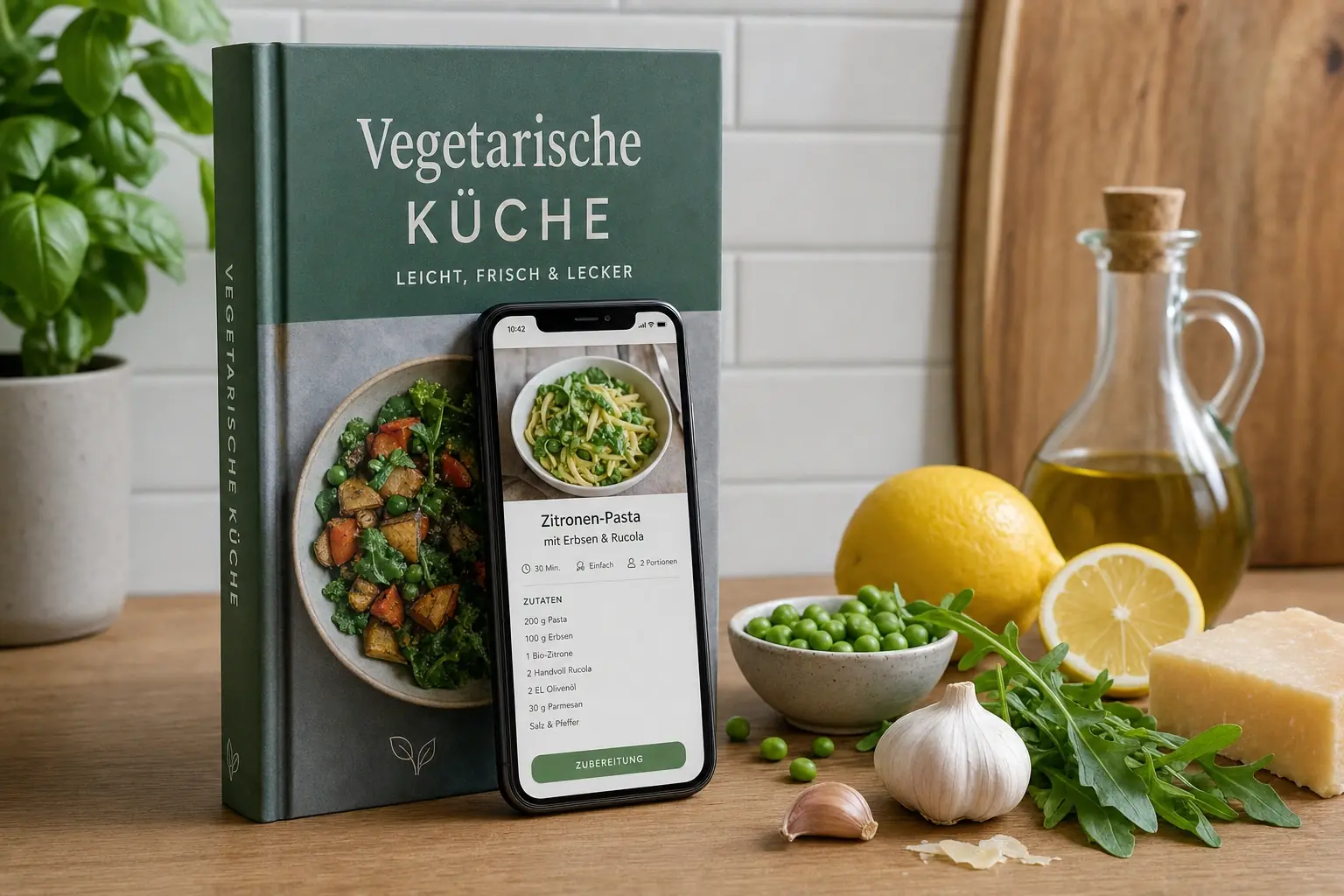
Scan ingredients, build weekly meal plans, cook hands-free: what artificial intelligence in the kitchen really does today, and where its limits are.
What does artificial intelligence actually do in the kitchen?
AI in the kitchen mainly handles planning and recognition: it identifies ingredients in photos, suggests matching recipes, builds weekly meal plans complete with a shopping list, and talks you through preparation by voice. It replaces neither skill nor taste; it takes over the decisions that everyday cooking usually stalls on.
The key points:
- The biggest practical benefit isn’t the recipe itself, but the chain that comes before it: stock, plan, shopping.
- Three types of scanners have become standard: ingredients, finished dishes, and cookbook pages.
- Voice control solves a real problem: while cooking, your hands are wet or full.
- Limits: AI can’t taste, can’t judge doneness, and can sometimes misread quantities.
How does an app recognize ingredients in a photo?
An image-recognition model compares the photo with millions of labeled examples and matches image regions to ingredients. From the list of recognized ingredients, the app then looks for recipes that use as many of them as possible.
In practice, this works well with clearly separated, typical ingredients, and less well with packaged goods, overlapping items, or poor lighting. Three things noticeably improve the result:
- Light: daylight instead of a kitchen lamp, no harsh shadows.
- Layout: ingredients side by side instead of stacked.
- Fine-tuning: check what was recognized and add anything missing. It takes seconds and improves every suggestion that follows.
Kitchen Tip
Take the photo right after grocery shopping, while everything is still spread out on the counter. That’s the only moment your entire stock is visible at once.
What are the three scanners, and what are they for?
| Scanner | Input | Result | Typical use |
|---|---|---|---|
| Ingredient scan | Photo of the fridge or your shopping | Recipes from what you have on hand | “What should I cook tonight?” |
| Dish scan | Photo of a finished dish | A recipe to recreate it | Restaurant visit, social media |
| Recipe text scan | Photo of a cookbook page | A structured, searchable recipe | Digitizing an old cookbook |
le’Chef comes with all three. For how this can unlock an entire cookbook, see the article on digitizing cookbooks.
What does voice control actually add while cooking?
It solves a problem everyone knows: while cooking, your hands are wet, greasy, or full, and that’s exactly when you need to flip to the next step or double-check something. A voice assistant reads out the next step, repeats quantities on request, and answers follow-up questions without you ever touching the screen.
With le’Chef, two features handle this: the Voice Chef as a spoken assistant, and agentic cooking mode, which walks you through a recipe step by step while keeping the display on, so it doesn’t go dark mid-sauté.
What can’t AI do in the kitchen?
Being honest about the limits matters more than the feature list. Four things stay with the human cook:
- Tasting and seasoning. No model knows whether your tomatoes are sweet or sour. Salt, acid, and heat remain your call.
- Judging doneness. Whether a steak is medium or a cake is baked through comes down to resistance and smell, not a number on a timer.
- Scaling quantities reliably. When converting portion sizes, spices and leavening agents can scale incorrectly; they don’t behave linearly.
- Judging quality. Whether food is still good is a call you make with your nose and eyes. For guidance on that, see the article on expired food.
Good to Know
Where an app processes your data matters as much as what it does with it. With le’Chef, AI processing runs on EU-based providers, app data is stored on servers in Germany, and your input is never used for advertising or to train third-party models.
What’s the technology behind it?
Three building blocks work together:
- 1Natural language processing breaks written recipes down into ingredients, quantities, and steps: the prerequisite for converting or filtering a recipe at all.
- 2Image recognition matches photos to ingredients or dishes.
- 3Recommendation systems learn from ratings and cooking history what suits you, and weight future suggestions accordingly.
On top of that sits your nutrition profile: allergens, diet, and dislikes filter the results before they’re ever shown to you.
“The AI suggested a recipe with pumpkin, feta, and a handful of coffee beans. Sounds crazy, but it was the tastiest dinner of the week!” - Sarah, Early Supporter
Frequently asked questions
Can an AI really learn to cook?
An AI can structure, combine, and adapt recipes to fit requirements, but it has no sense of taste. It recognizes patterns in which flavors tend to appear together and derives suggestions from that. Tasting and judging doneness remain up to the human cook.
How accurately does an app recognize ingredients in a photo?
With good light and unpackaged ingredients laid out side by side, recognition is reliable. It gets harder with similar-looking varieties, packaged goods, and stacked food. That’s why the recognized list can usually be edited before recipes are suggested.
What happens to my data in an AI cooking app?
That depends on the provider and is spelled out in its privacy policy. Three questions matter most: where is the data processed, how long is it stored, and is your input used to train models? With le’Chef, AI processing runs on EU-based providers, app data is stored in Germany, and input is never used for advertising or to train third-party models.
Do you need cooking skills to use an AI cooking app?
No, but they help. The app takes care of planning, recipe search, and quantity calculations. Hands-on skills like cutting, searing, or judging the right doneness are still something you learn through practice, though step-by-step cooking mode lowers the entry barrier considerably.
Does an AI cooking app work without internet?
Partially. Saved recipes and lists can usually be used offline, since they’re stored on the device. Anything that needs a model in the background (scanning, chat, voice control) requires a connection.
Sources
Keep reading: Food trends 2026 · Saving recipes from Instagram and TikTok · all features in the feature overview